Starting From The Work You Already Have
Most useful presentations do not begin with a blank slide. They begin with a product memo, a research summary, a meeting note, a customer call transcript, or a rough idea that needs shape. That is the context in which I tested Tome. I wanted to see whether the product feels like a real presentation workflow rather than a decorative AI prompt box.
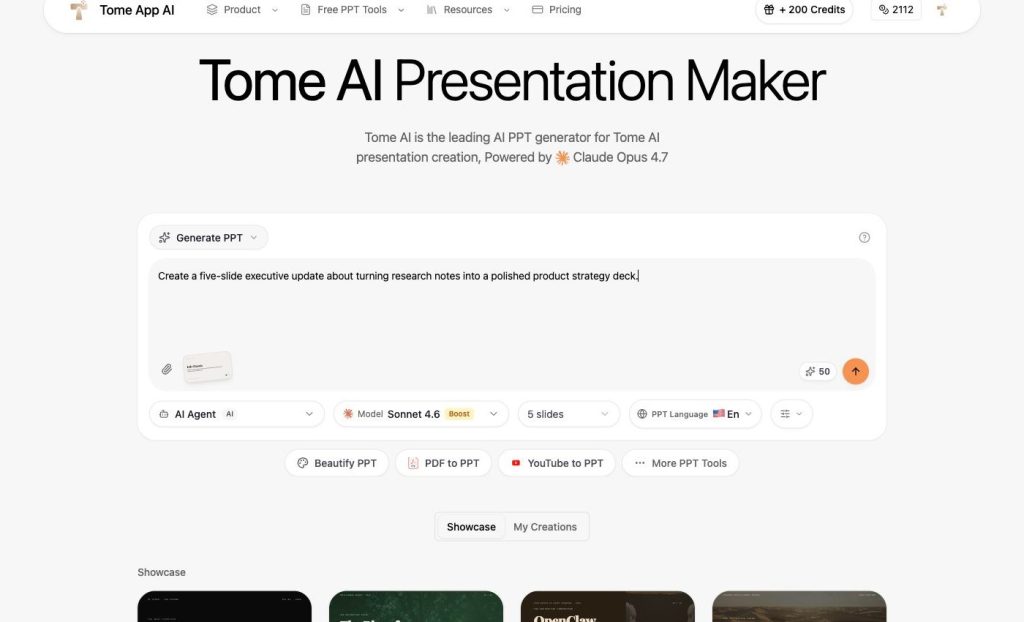
The homepage immediately puts the work surface in front of the user. I entered a practical prompt asking for a five-slide executive update about turning research notes into a product strategy deck. Around the text box, the interface kept the important controls visible: generation mode, credit cost, AI Agent mode, model selection, slide count, and presentation language. It also showed related buttons for Beautify PPT, PDF to PPT, YouTube to PPT, and other PPT tools.
That matters because presentation creation is usually a chain of decisions. A team needs to decide how long the deck should be, what language it should use, whether the source material is a prompt or a document, and how much editing will happen after generation. A good AI tool should keep those choices close to the input. In this state, Tome App AI made the workflow understandable before I committed to a generation action.
I did not click the final generation button because that would consume credits. For a reviewer, that boundary is important to state plainly. What I verified was the setup experience: the homepage loaded in English, accepted a realistic prompt, and exposed the controls someone would need before creating a deck draft.
Document Inputs Make The Workflow More Practical
The more interesting part of the product is that it does not stop at prompt-based generation. Many teams already have source material. A strategy deck might start from a PDF research brief. A quarterly business review might begin as a written report. A training deck might come from a policy document. Rewriting that material slide by slide is often the slowest part.
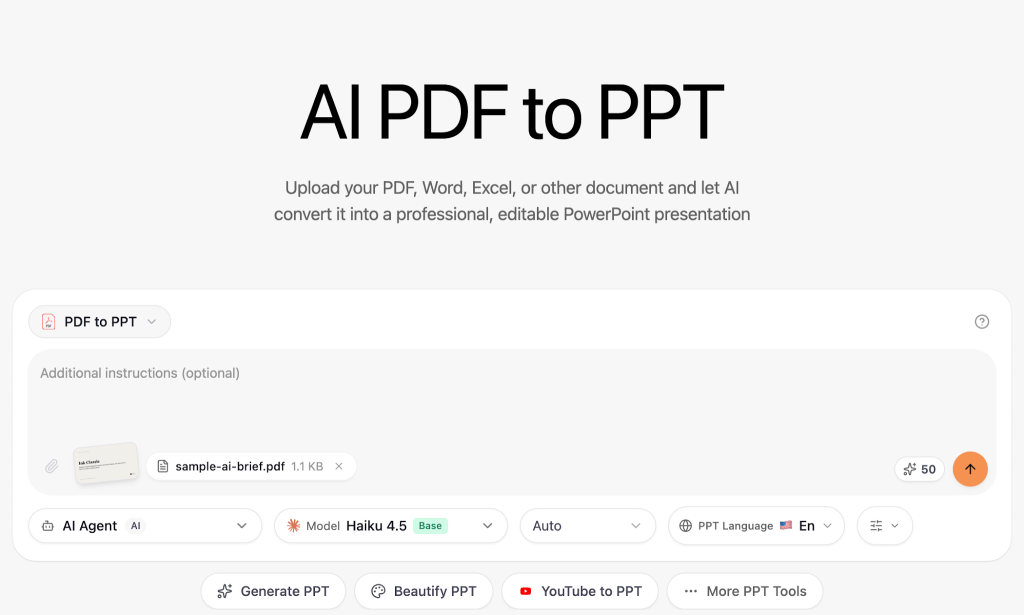
The PDF to PPT page addresses that practical problem. I tested it with a small sample PDF, and the interface displayed sample-ai-brief.pdf with a 1.1 KB file size. After the file was selected, the tool area changed from a generic upload prompt to an input state that could support additional instructions. The page also kept model choice, language, and an automatic slide count option visible.
That is a useful pattern. A basic converter might only preserve pages as images, which is not enough for a team that needs an editable presentation. The value here is the idea of turning existing material into a structured PowerPoint draft that can later be edited, corrected, and redesigned. Even before generating the final PPT, the upload state showed that the product is designed around real document-to-deck work.
For product managers, consultants, and operations teams, this matters more than speed alone. The first draft still needs human review. Claims need checking, sensitive details need removal, and slide order often needs adjustment. But starting from an accepted document is more credible than starting from a blank canvas every time.
The strongest use case is when the source document already has clear sections. A product brief with problem, evidence, roadmap, and next steps is easier to reshape into slides than a random dump of notes. A tool like this can help translate those sections into a deck outline, but the quality of the input still matters. If the uploaded material is messy, the first draft will probably need heavier editing.
Best Fit: Draft First, Review Carefully
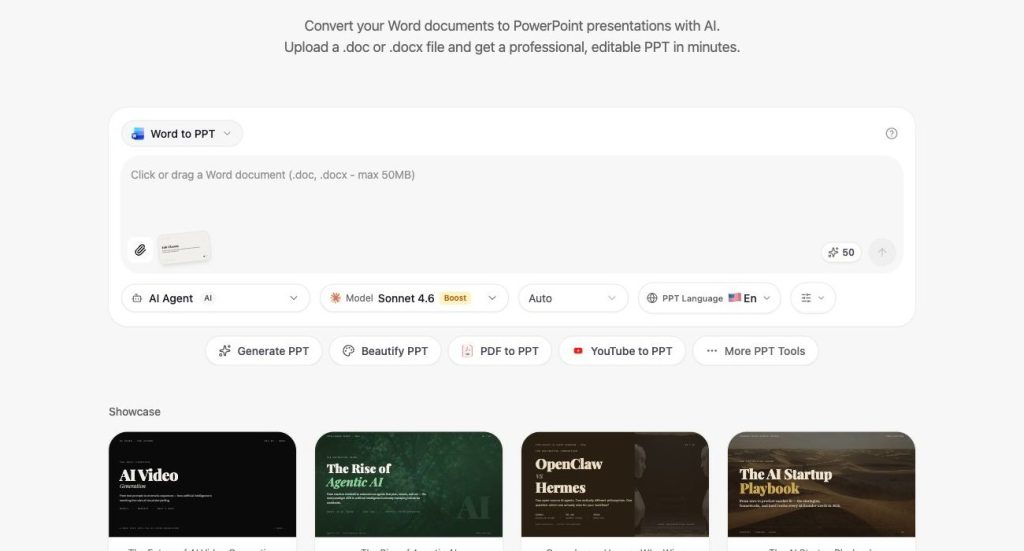
The Word to PPT workflow gives the same idea another route. I opened the Word converter page and verified that it is positioned for .doc and .docx files, with a promise to create an editable PPT in minutes. In a separate upload check, the page text confirmed a sample DOCX file named sample-tome-brief.docx with a 3.7 KB size.
That makes Tome App useful for teams that write first and present second. A founder might write a launch memo, then turn it into a pitch outline. A marketer might write campaign notes, then convert them into a webinar deck. A teacher might prepare lesson material in a document, then create slides for class.
This is also where the product can support collaboration. One person can write the source document, another can generate a first deck draft, and a reviewer can refine the final message. That workflow is more realistic than expecting AI to create a finished executive deck from a single sentence. It treats the AI step as part of the production chain.
The best way to use the product is as a first-draft accelerator. It can help identify sections, turn dense notes into slide-shaped ideas, and give the team something editable. It should not replace review. A person still needs to verify facts, simplify arguments, improve visual hierarchy, and align the deck with the audience. Used that way, Tome App AI fits a realistic presentation process: move from raw material to an editable draft faster, then spend human time improving the message.